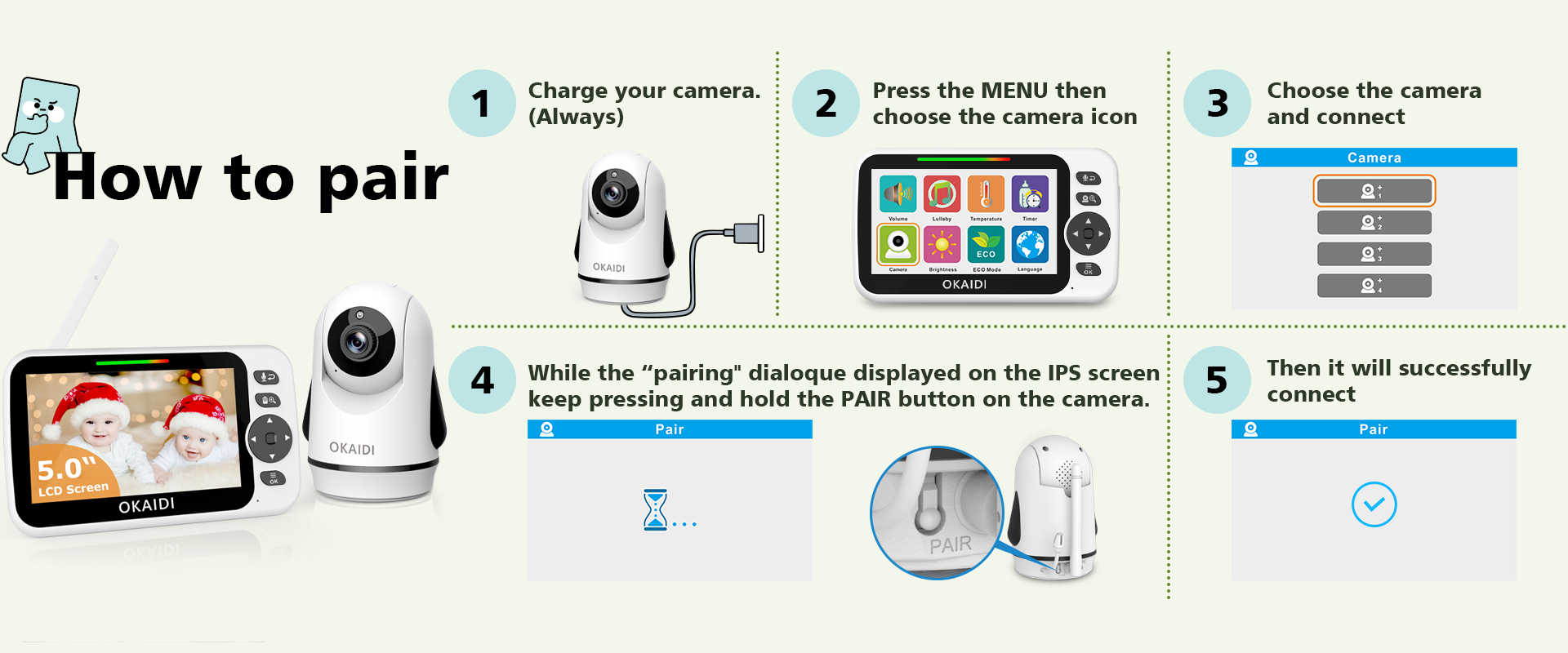
Attentions:
♥ If you have paired 2 cameras, a short press of the cam key will switch from the current cam1 to the next cam2, and another press of the cam key will enter the automatic camera switching mode, switching to the next camera every 10 seconds. Pressing the cam button again will exit the automatic switching mode and go back to cam1.
♥ If your cameras have any problems, please try the reset button at first. The reset button is on the back of the monitor stand and requires a small stick to operate.
♥ If there is any problem, please don’t worry, you can contact us at any time through our after-sales service mailbox, we will surely provide a satisfactory solution!
service@okaidicare.com
发表回复